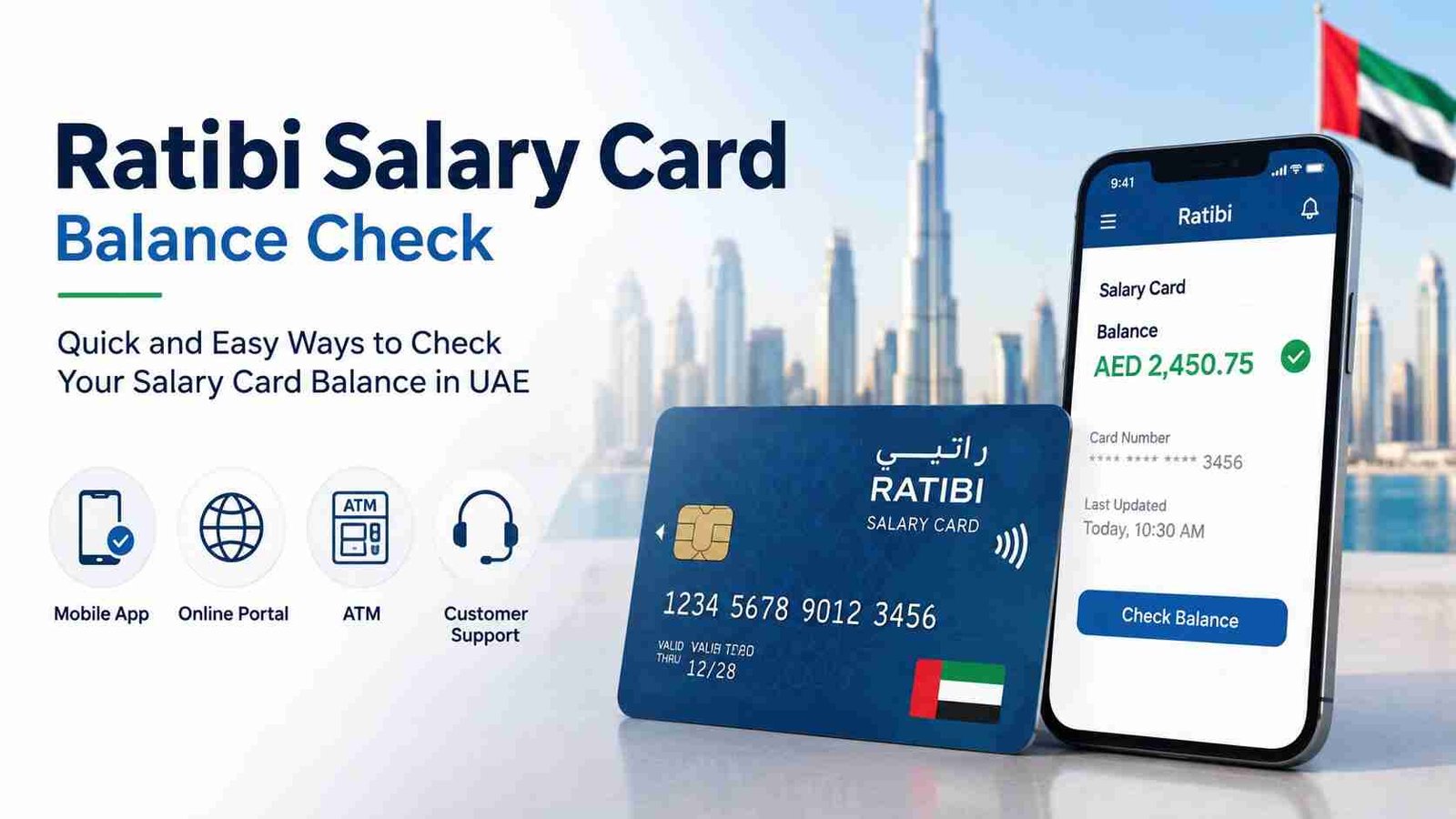
Ratibi Salary Card Balance Check — Full Guide UAE
Need to check your Ratibi salary card balance? Unlike a regular FAB bank account, Ratibi cards use different channels. Here’s everything you need to know — from the online portal to SMS and ATM options.
Safety Note: UAEfinbiz is an informational guide only and does not have access to your Ratibi card or account. Never share your full card number, PIN, OTP, Card ID, or Emirates ID with any third-party website or individual. Always use official FAB, Ratibi, or Magnati channels for balance checks. The official Ratibi balance enquiry portal is hosted by Magnati at ppc.magnati.com/ppc-inquiry — only use this verified link. FAB will never ask for your PIN or OTP outside of their official channels.
What is a Ratibi Card?
Ratibi is a prepaid salary card issued by First Abu Dhabi Bank (FAB) through its subsidiary Magnati . It’s part of the UAE’s WPS (Wage Protection System) programme, designed for employees who receive their salaries on a prepaid payroll card rather than a traditional bank account.
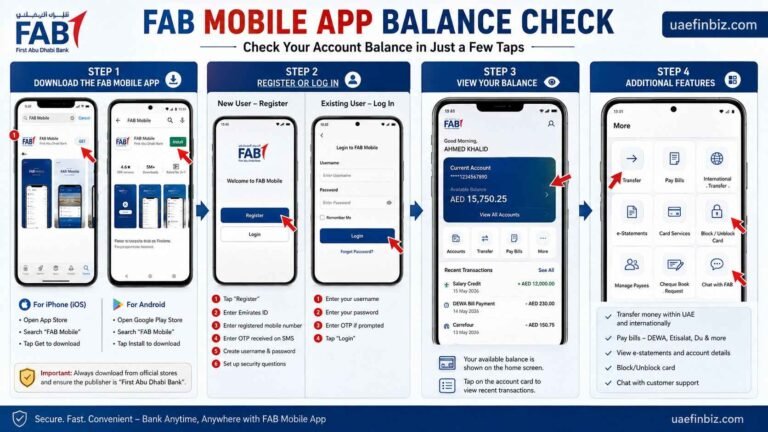
Important: If you have a Ratibi card, you cannot check your balance through the regular FAB Mobile app — it only works for standard FAB bank accounts. Use the methods below instead .
Method 1: Online Portal (Fastest Method)
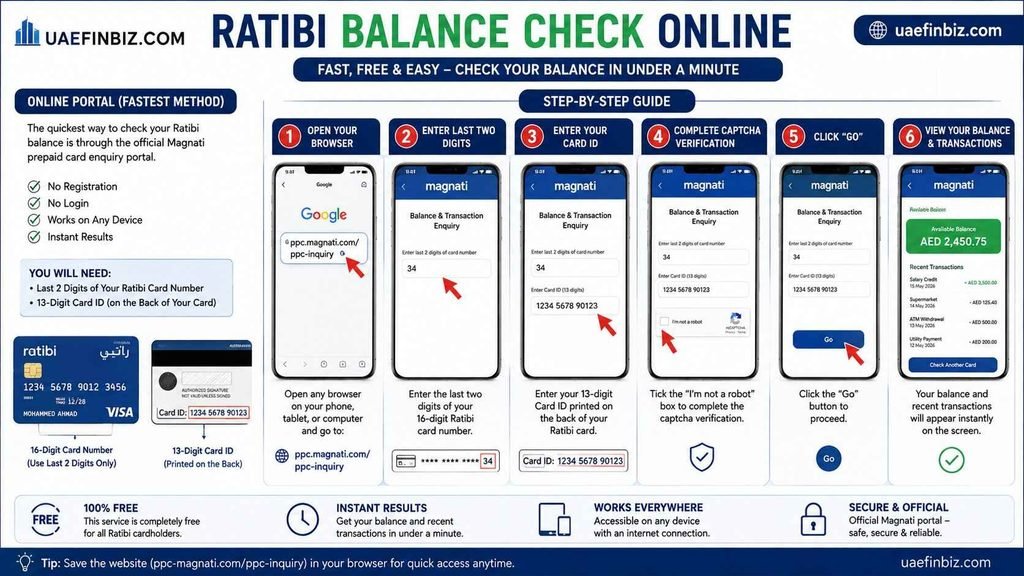
The quickest way to check your Ratibi balance is through the official Magnati prepaid card enquiry portal. No registration or login is required — just your card details.
Step-by-step:
- Open any browser on your phone, tablet, or computer.
- Go to ppc.magnati.com/ppc-inquiry .
- Enter the last two digits of your 16-digit Ratibi card number .
- Enter your Card ID — this is a 13-digit number printed on the back of your card, separate from the card number .
- Complete the captcha verification.
- Click “Go” — your balance and recent transactions will appear instantly.
This method is free, works on any device, and shows your balance in under a minute .
Method 2: SMS Balance Check
No internet? No problem. You can check your Ratibi balance via SMS.
How to do it:
- Open your phone’s messaging app.
- Type BAL in the message body.
- Send it to 6667.
- Within seconds, you’ll receive a reply with your available balance .
Charge: Approximately AED 0.30 per SMS (standard SMS rates apply). Your UAE mobile number must be registered with FAB for this to work.
Method 3: ATM Balance Inquiry
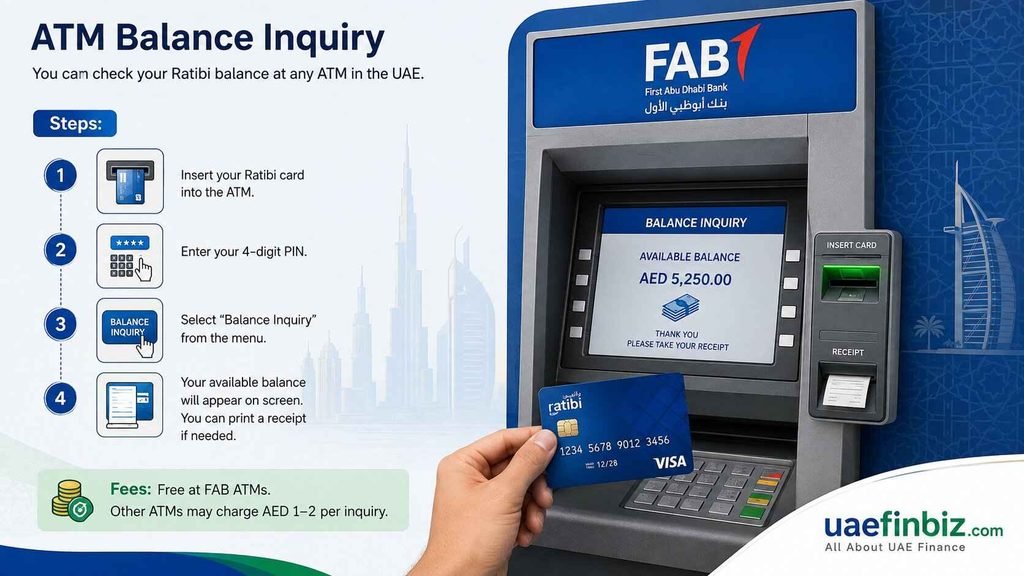
You can check your Ratibi balance at any ATM in the UAE.
Steps:
- Insert your Ratibi card into the ATM.
- Enter your 4-digit PIN.
- Select “Balance Inquiry” from the menu.
- Your available balance will appear on screen. You can print a receipt if needed.
Fees: Free at FAB ATMs. Other ATMs may charge AED 1–2 per inquiry .
Method 4: Phone Banking
Prefer speaking to someone? Call FAB’s phone banking service.
Number: 600 525 500 (within UAE)
IVR Steps:
- Call 600 525 500.
- Select your preferred language (English or Arabic).
- Enter your card number when prompted.
- Follow the voice menu to hear your balance.
Available 24/7. Standard call charges apply.
Which Method Should You Use?
| Situation | Best Method |
|---|---|
| Have internet access | Online portal (ppc.magnati.com) |
| No internet / basic phone | SMS BAL to 6667 |
| Need a printed receipt | ATM |
| Want to speak to someone | Phone Banking 600 525 500 |
Why Isn’t My Ratibi Balance Showing?
If your balance shows zero or hasn’t updated after payday, here are a few things to check:
- WPS processing delay — Salary credits can take 24–48 hours after your employer submits payroll .
- Contact HR first — If it’s been more than 2 business days, check with your employer’s HR or payroll team .
- SMS not working? — Try the online portal instead. Your mobile number may not be registered with your card .
- Card not active? — Your card needs to be activated before salary can be credited.
Frequently Asked Questions
Can I check my Ratibi balance on the FAB Mobile app?
No — Ratibi is a prepaid salary card, not a regular bank account. FAB Mobile is for standard account holders. Use the Magnati portal, SMS, ATM, or phone banking instead .
What is the Magnati portal?
The Magnati portal at ppc.magnati.com/ppc-inquiry is FAB’s official balance enquiry service for Ratibi and other prepaid salary cards . It’s free and requires no login.
Is there a fee for checking my Ratibi balance?
Checking your balance is free through the online portal, SMS (except standard SMS charges), and FAB ATMs. Other ATMs may charge AED 1–2 .
What is my Card ID?
Your Card ID is a 13-digit number printed on the back of your Ratibi card, below the 16-digit card number .
My salary was supposed to be credited today but I don’t see it. What should I do?
Wait 24–48 hours for WPS processing . If it’s been longer, contact your employer’s HR first — they can confirm if payroll was processed. If they confirm it was, call FAB at 600 525 500