Payez Salary Card Balance Check — Complete Guide UAE
You just got your salary card. Or you’re about to. And now you’re staring at it wondering — how do I even check what’s on this thing? It’s a feeling we all know. That moment of uncertainty when you need to know your balance but have no idea where to start. Let’s fix that right now.
The Payez card from Al Fardan Exchange is one of the most established WPS salary cards in the UAE. In fact, Al Fardan was the first exchange house in the UAE to launch a WPS-compliant payroll card back in 2009 . That’s over a decade of experience. But experience doesn’t matter if you can’t check your balance easily.
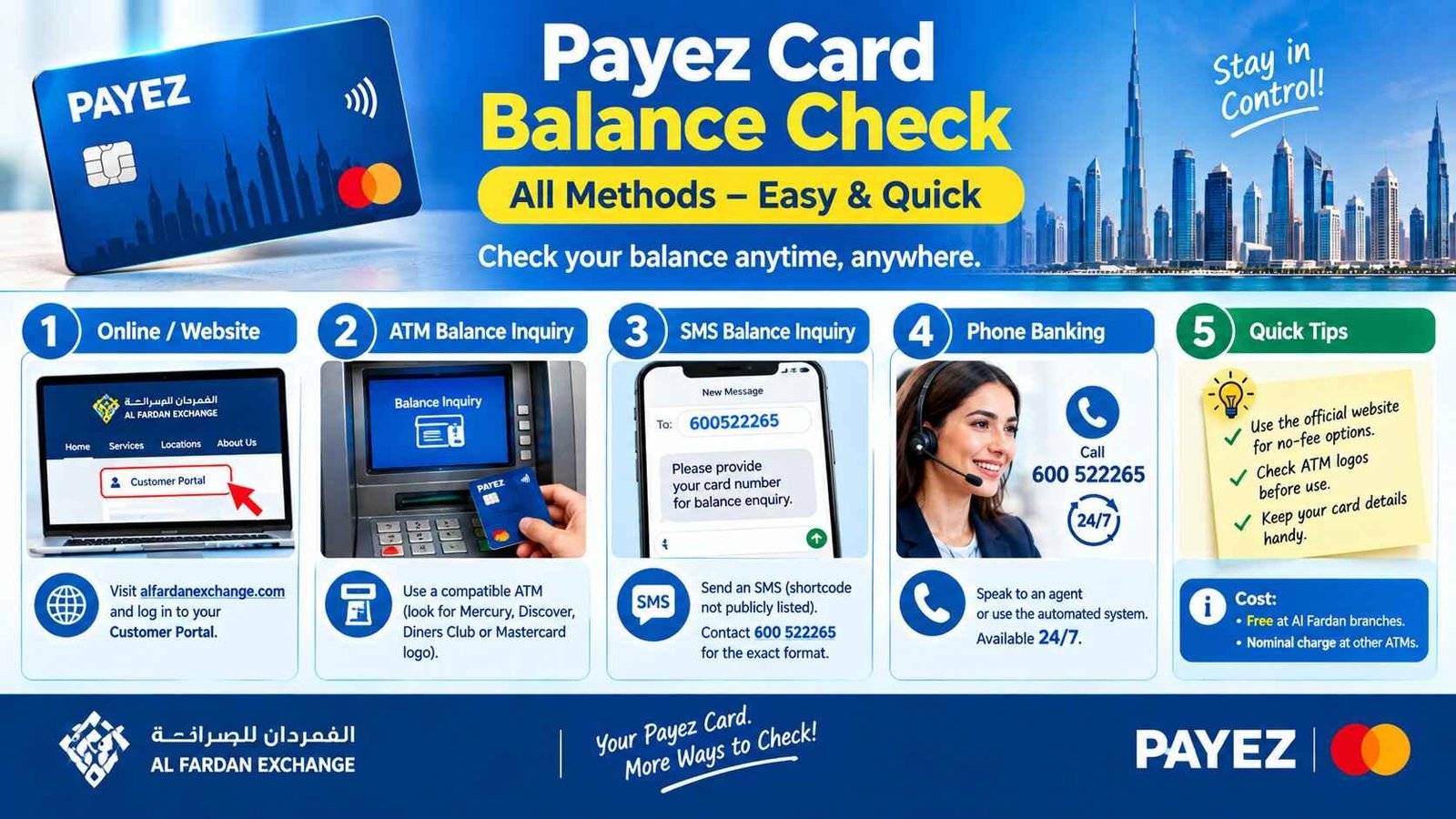
The good news? You have six different ways to check your Payez balance — and most of them are completely free. No fluff, just solutions. Pick what works for you.
Safety Note: UAEfinbiz is an informational guide only and does not have access to your Payez card or account. Never share your card number, PIN, OTP, Emirates ID, or login credentials with any third-party website or individual. Always use official Al Fardan Exchange channels for balance checks. For verified information, visit the official Al Fardan Exchange website at alfardanexchange.com . Al Fardan will never ask for your PIN or OTP outside of their official app or verified channels. If you receive any suspicious messages, ignore them and report immediately.
Which Payez Card Do You Have?
Al Fardan Exchange offers two types of Payez cards, and knowing which one you have matters for where you can use it :
How to check: Look at the logo on the front of your card. If you see Mastercard, you have the Payez Mastercard version. If you see Mercury or Discover/Diners Club logos, you have the Mercury version .
Both cards work the same way for balance checks, so don’t worry — the methods below apply to both.
6 Ways to Check Your Payez Card Balance
Method 1: AlfaPay Mobile App (Recommended)
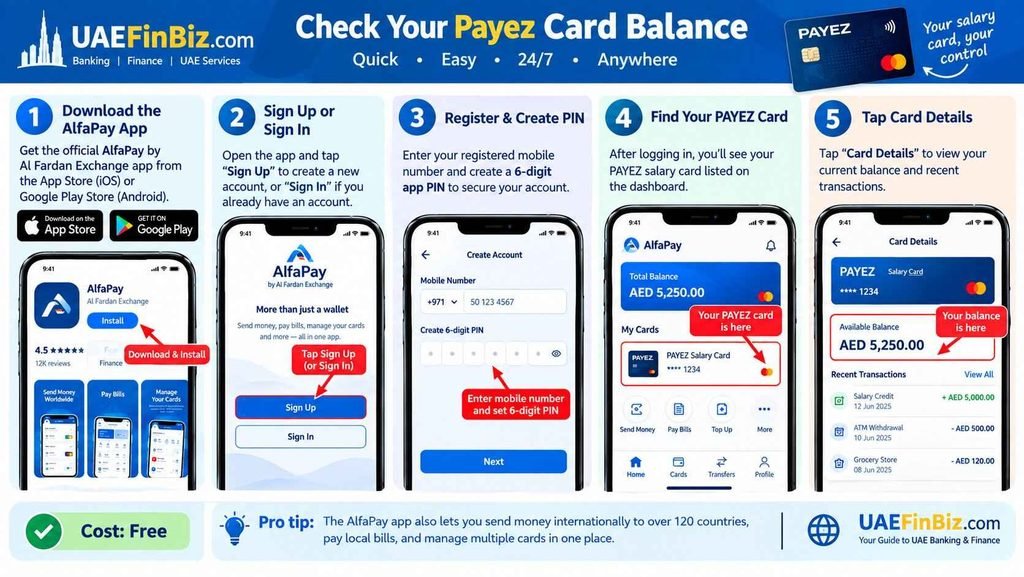
The AlfaPay app is the official Al Fardan Exchange app — your fastest and most convenient way to check your balance. It’s free, available 24/7, and you can do it from anywhere .
How to check:
- Download AlfaPay by Al Fardan Exchange from the App Store (iOS) or Google Play Store .
- Tap “Sign Up” to register, or “Sign In” if you already have an account .
- Register using your registered mobile number and create a 6-digit app PIN .
- Once logged in, you’ll see your PAYEZ salary card listed on the dashboard .
- Tap “Card Details” to view your current balance and recent transactions .
Cost: Free.
Pro tip: The AlfaPay app also lets you send money internationally to over 120 countries, pay local bills, and manage multiple cards in one place .
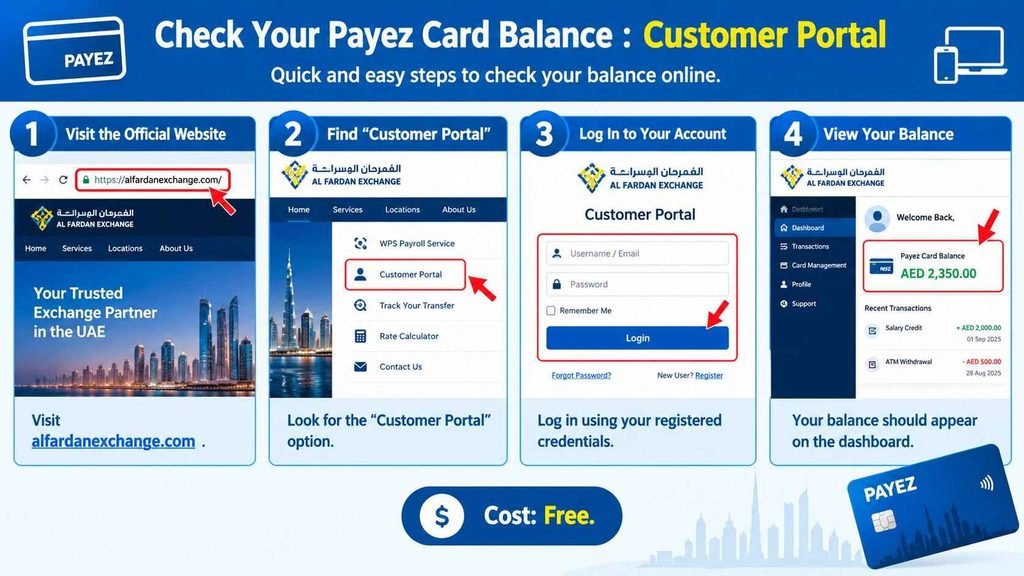
Method 2: Customer Portal
If you’re on a computer, the official Al Fardan Exchange website gives you access to your balance .
How to check:
- Visit alfardanexchange.com .
- Look for the “Customer Portal” option .
- Log in using your registered credentials.
- Your balance should appear on the dashboard.
Cost: Free.
Method 3: ATM Balance Inquiry
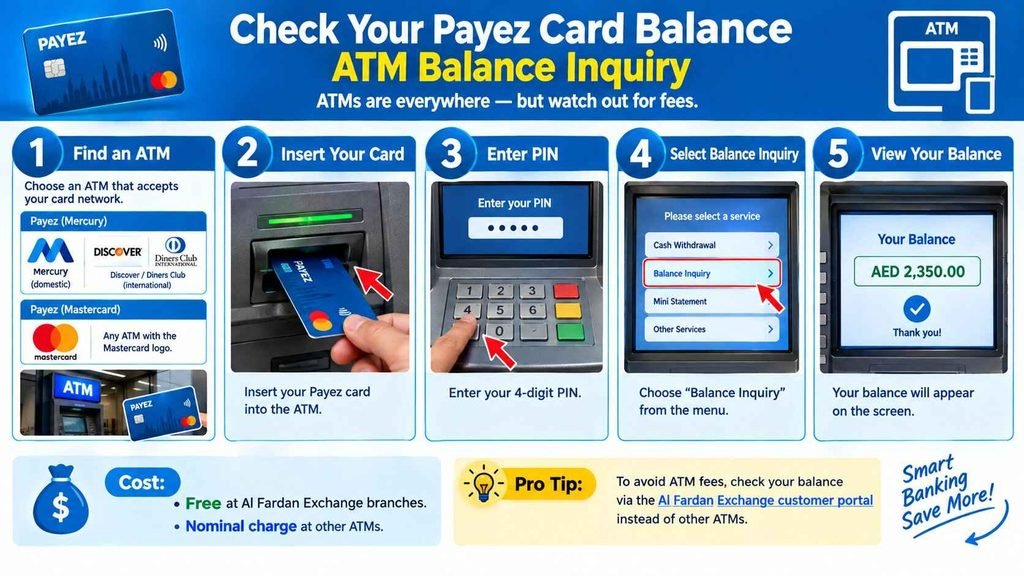
ATMs are everywhere — but watch out for fees .
How to check:
- Find an ATM that accepts your card network:
- Insert your Payez card.
- Enter your 4-digit PIN.
- Select “Balance Inquiry” .
- View your balance on screen.
Cost:
Pro tip: To avoid ATM fees, check your balance via the AlfaPay app or call the call centre instead.
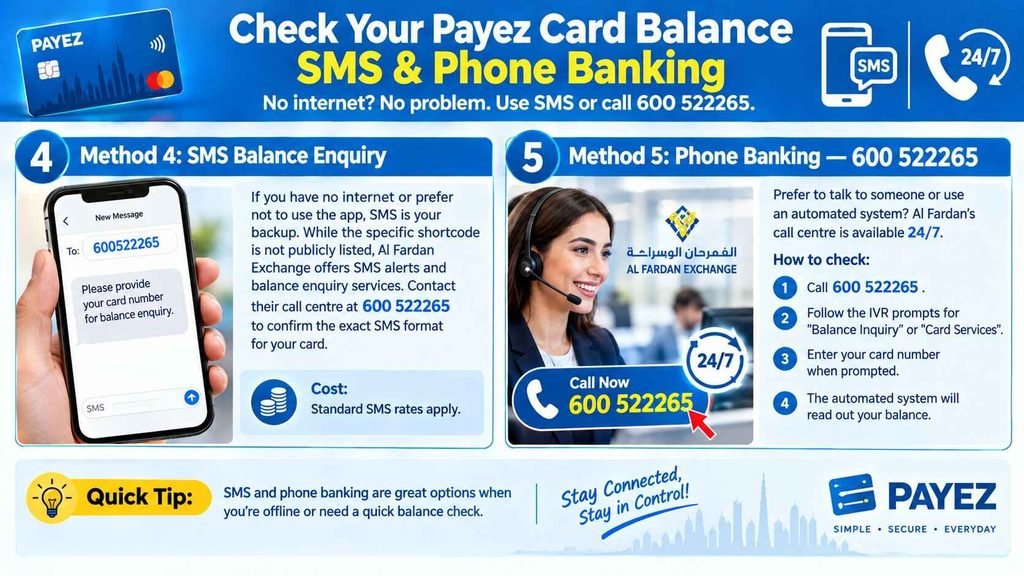
Method 4: SMS Balance Check
If you have no internet or prefer not to use the app, SMS is your backup. While the specific shortcode is not publicly listed, Al Fardan Exchange offers SMS alerts and balance enquiry services. Contact their call centre at 600 522265 to confirm the exact SMS format for your card.
Cost: Standard SMS rates apply.
Method 5: Phone Banking — 600 522265
Prefer to talk to someone or use an automated system? Al Fardan’s call centre is available 24/7 .
How to check:
- Call 600 522265 .
- Follow the IVR prompts for “Balance Inquiry” or “Card Services” .
- Enter your card number when prompted.
- The automated system will read out your balance.
Cost: Free balance enquiries via the call centre . Standard call rates apply.
Method 6: Branch Visit — In-Person Check
Sometimes you just need to talk to a real person. Al Fardan Exchange has 85+ branches across the UAE .
How to check:
- Find your nearest Al Fardan Exchange branch.
- Bring your Payez card and Emirates ID .
- Ask the teller to check your balance.
- Receive your balance verbally or get a printed statement.
Best for: PIN resets, card replacements, or when you need a printed statement.
Quick Reference — All Payez Methods
| Method | What You Do | Cost |
|---|---|---|
| AlfaPay App | Download app, register, tap “Card Details” | Free |
| SMS | Send BAL + card number to [shortcode] | Standard SMS rates |
| Customer Portal | Visit alfardanexchange.com, log in | Free |
| ATM | Insert card, enter PIN, select Balance Inquiry | Free at AFEX branches; nominal charge at other ATMs |
| Phone Banking | Call 600 522265, follow IVR | Free enquiry (standard call rates apply) |
| Branch Visit | Visit Al Fardan branch with Emirates ID + card | Free |
Payez FAQ
How do I check my Payez salary card balance online?
Use the AlfaPay app by Al Fardan Exchange. Download it from the App Store or Google Play, register with your mobile number, and tap “Card Details” to see your current balance and transactions.
Is there a charge for checking my Payez balance?
Balance checks via the AlfaPay app, customer portal, call centre, and Al Fardan Exchange branches are completely free. ATM balance inquiries may incur a nominal charge at non-Al Fardan ATMs.
What is the difference between Payez Mercury and Payez Mastercard?
Payez Mercury works on the Mercury/Discover network and is accepted at ATMs with Mercury or Discover/Diners Club logos. Payez Mastercard works on the Mastercard network and is accepted globally wherever Mastercard is accepted.
What is the Al Fardan Exchange phone number for balance check?
Call 600 522265. The call centre is available 24/7 for balance enquiries, lost cards, PIN resets, and general support.
How do I reset my Payez card PIN?
You can reset your PIN by visiting any Al Fardan Exchange branch with your Emirates ID and Payez card. You may also be able to reset it through the AlfaPay app.
What is the AlfaPay app?
The AlfaPay app is the official Al Fardan Exchange mobile app. It allows you to check your Payez balance, send money internationally to over 120 countries, pay local bills, and manage your cards.
Can I use my Payez card outside the UAE?
Yes — both Payez cards work internationally. Payez Mastercard works anywhere Mastercard is accepted. Payez Mercury works at ATMs with Discover/Diners Club logos internationally. International ATM fees may apply.
How do I contact Al Fardan Exchange customer support?
Call 600 522265 (24/7), visit any of their 85+ branches across the UAE, or use the AlfaPay app for in-app support.