
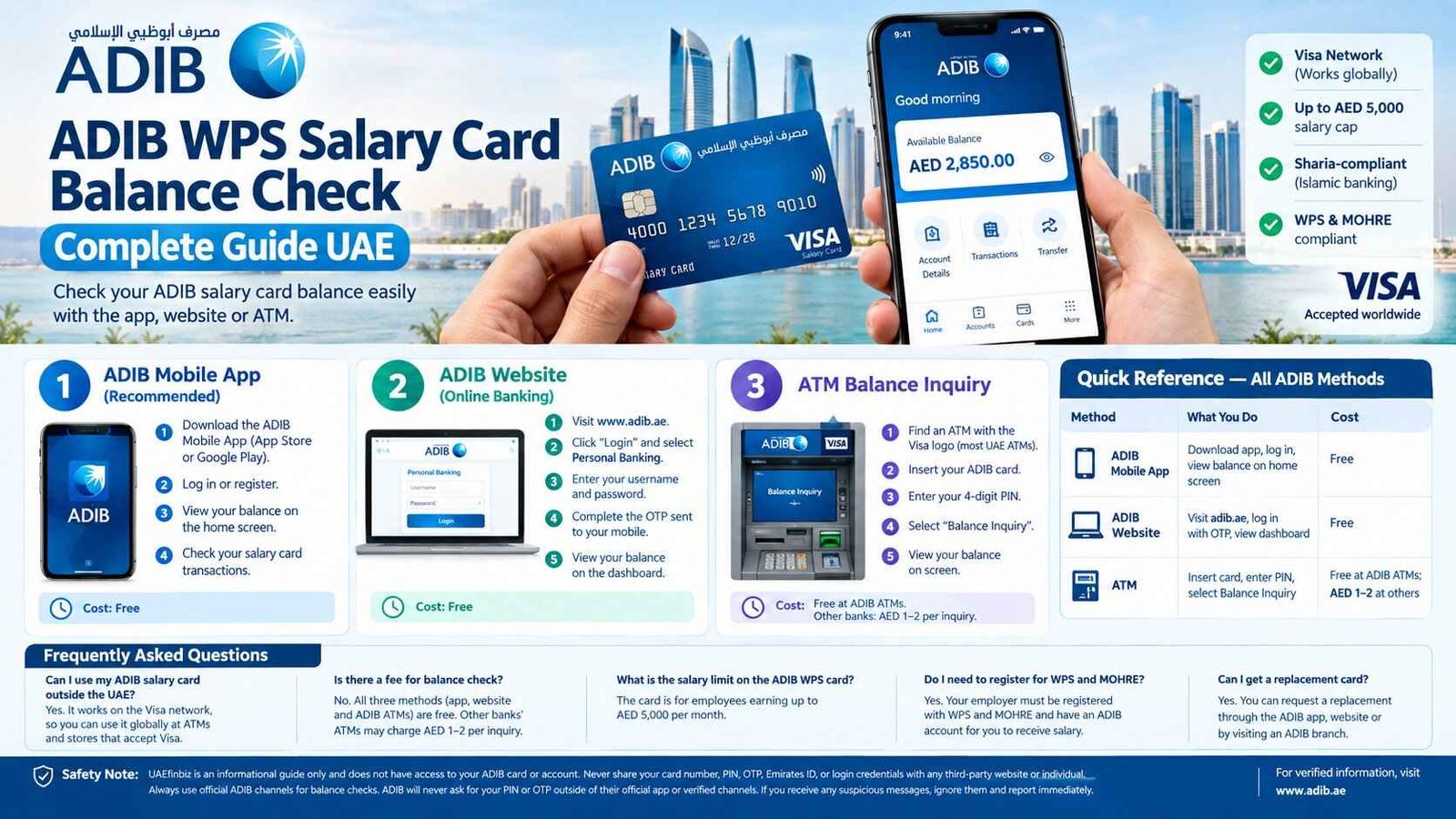
ADIB WPS Salary Card Balance Check Complete Guide UAE
You’re holding an ADIB salary card. Your salary just came in. And now you need to know exactly how much is on it — before you withdraw, spend, or send money home.
Here’s the thing about ADIB cards: they’re issued by Abu Dhabi Islamic Bank, one of the largest Islamic banks in the UAE. That means Sharia-compliant banking, but it also means the card works on the Visa network — so you can use it globally, not just at ADIB machines. The balance check methods are straightforward, but if you don’t know them, you might end up paying fees at another bank’s ATM when you didn’t need to.
Safety Note: UAEfinbiz is an informational guide only and does not have access to your ADIB card or account. Never share your card number, PIN, OTP, Emirates ID, or login credentials with any third-party website or individual. Always use official ADIB channels for balance checks. For verified information, visit the official ADIB website at www.adib.ae . ADIB will never ask for your PIN or OTP outside of their official app or verified channels. If you receive any suspicious messages, ignore them and report immediately.
What is the ADIB WPS Salary Card?
The ADIB WPS Salary Card is a prepaid card issued by Abu Dhabi Islamic Bank for employees earning up to AED 5,000 per month . It’s part of the UAE’s Wage Protection System (WPS) — a mandatory electronic salary transfer system developed by the Central Bank of the UAE and MOHRE to ensure employees receive their wages safely and on time .
Key features:
- Visa network — open-loop, works globally
- Salary cap: Up to AED 5,000 per month
- Sharia-compliant — Islamic banking principles
- WPS and MOHRE compliant — employer must be registered with WPS and have an ADIB account
- Balance check methods: ATM, App, Website
Important: Your employer must have an ADIB account and be registered with WPS and MOHRE for you to receive salary on this card .
3 Ways to Check Your ADIB Salary Card Balance
Method 1: ADIB Mobile App (Recommended)
The ADIB Mobile App is the fastest and most convenient way to check your balance. It’s free, available 24/7, and works from anywhere.
How to check:
- Download the ADIB Mobile App from the App Store (iPhone) or Google Play Store (Android).
- Register or log in using your credentials.
- Your balance appears on the home screen after login.
- Navigate to your salary card to view recent transactions.
Cost: Free.
Pro tip: The ADIB Mobile App also allows you to make WPS salary payments if you’re an employer, view salary slips, and manage multiple accounts .
Method 2: ADIB Website (Online Banking)
If you’re on a computer and prefer not to use the app, the ADIB website gives you full access.
How to check:
- Visit www.adib.ae.
- Click “Login” and select Personal Banking.
- Enter your username and password.
- Complete the OTP verification sent to your registered mobile.
- Your balance appears on the dashboard.
Cost: Free.
Method 3: ATM Balance Inquiry
ATMs are everywhere in the UAE and available 24/7.
How to check:
- Find an ATM with the Visa logo (most UAE ATMs).
- Insert your ADIB salary card.
- Enter your 4-digit PIN.
- Select “Balance Inquiry” from the menu.
- View your balance on screen.
Cost: Free at ADIB ATMs. Other banks’ ATMs may charge AED 1–2 per inquiry.
Pro tip: To avoid ATM fees, check your balance via the ADIB Mobile App or website instead.
Quick Reference — All ADIB Methods
| Method | What You Do | Cost |
|---|---|---|
| ADIB Mobile App | Download app, log in, view balance on home screen | Free |
| ADIB Website | Visit adib.ae, log in with OTP, view dashboard | Free |
| ATM | Insert card, enter PIN, select Balance Inquiry | Free at ADIB ATMs; AED 1–2 at others |
Frequently Asked Questions
How do I check my ADIB salary card balance?
Use the ADIB Mobile App. Download it from the App Store or Google Play, log in, and your balance appears on the home screen.
What is the minimum salary for an ADIB WPS Salary Card?
The ADIB WPS Salary Card is designed for employees earning up to AED 5,000 per month.
Can I use my ADIB salary card outside the UAE?
Yes — the ADIB WPS Salary Card runs on the Visa network and works globally wherever Visa is accepted.
What should I do if my ADIB salary card is lost or stolen?
Call ADIB customer support immediately. They will block your card and arrange a replacement.
Does my employer need an ADIB account for me to get this card?
Yes — the employer must have an ADIB account and be registered with WPS and MOHRE.
Is there a fee for checking my ADIB balance at an ATM?
Balance checks are free at ADIB ATMs. Other banks’ ATMs may charge AED 1–2 per inquiry.
Can I check my balance without the app?
Yes — you can use the ADIB website or visit any ATM with the Visa logo.
How do I contact ADIB customer support?
Visit www.adib.ae for contact details, or call the ADIB call centre.
Related Guides
- UAE Salary Card Balance Check — Complete Guide by Provider
- FAB Balance Check Online UAE — Complete Guide
- Lulu Salary Card Balance Check — Complete Guide UAE
- RPay Salary Card Balance Check — Complete Guide UAE
- Al Ansari PayPlus Salary Card Balance Check — Complete Guide UAE
- Payez Salary Card Balance Check — Complete Guide UAE
- C3Pay Salary Card Balance Check — Complete Guide UAE

2 Comments