
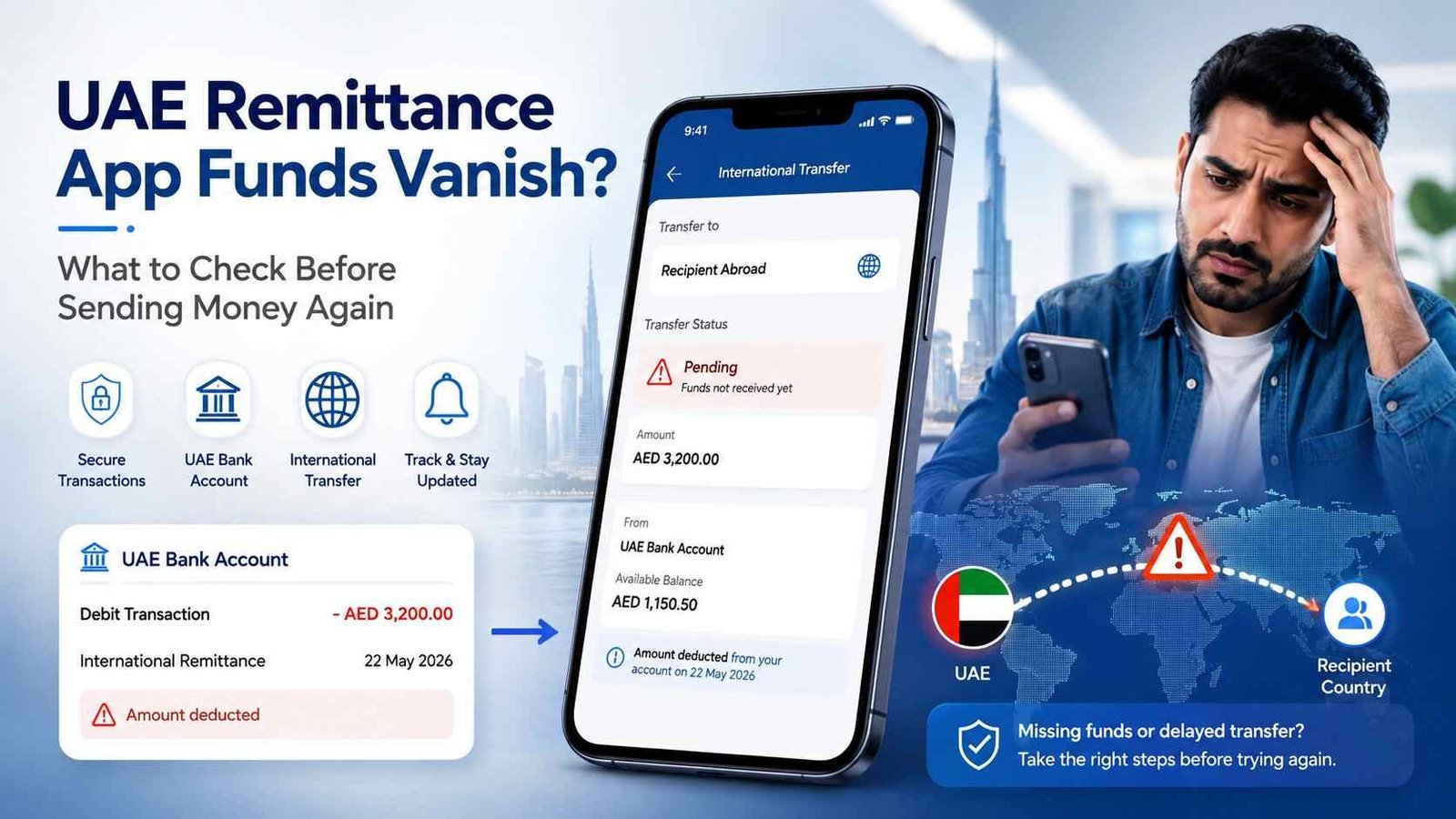
UAE Remittance App Funds Vanish: What to Do If Your Money Disappears
You send money through a remittance app, the amount leaves your UAE bank account, but then something strange happens: the transfer is no longer visible, the recipient has not received the money, or the app shows a failed transaction without clearly explaining where the funds went.
This is the situation behind searches such as “UAE remittance app funds vanish”. And the first thing to know is that a missing balance does not automatically mean the money has been permanently lost.
A remittance can sit in a pending, failed, reversed, compliance-review or processing state depending on the service and transaction route. The important part is knowing what to check before sending the money again.
Safety Note: If your remittance appears to have disappeared, do not share your OTP, PIN, password or full card details with anyone claiming they can release the money. Start with the remittance provider’s official support channel and keep your transaction reference, receipt and payment records. If the provider is a UAE-licensed financial institution and the issue remains unresolved, you can use the official Sanadak complaint service.
What does “funds vanished” actually mean?
There are several very different situations that can look like the same problem.
Your money may have been deducted from your UAE bank account but the remittance app still shows the transaction as pending.
The transfer may have failed after your account was charged, with the refund still being processed.
The recipient’s bank may have rejected or delayed the incoming payment.
The transfer may have been placed under additional verification.
Or the app itself may not yet have updated the transaction status correctly.
So don’t immediately assume that the money has disappeared permanently.
The transaction status and the payment trail matter much more than the balance shown on the app’s home screen.
First, check where the money actually stopped
Before contacting support, work backwards through the payment.
Check your UAE bank account first.
If the money was never deducted, the remittance may not have been funded successfully.
If it was deducted, open the remittance app and look for the transaction reference or transfer number.
Then check whether the transfer says:
- Pending
- Processing
- Completed
- Failed
- Cancelled
- Reversed
- Refunded
- On hold
- Under review
The exact wording differs between providers.
Take a screenshot of the transaction status before doing anything else.
Don’t send the transfer again yet
This is one of the easiest mistakes to make.
Suppose AED 2,000 has disappeared from your available bank balance and the remittance app is showing an unclear status. You try the same transfer again because the recipient urgently needs the money.
The first transfer could still complete.
You could then end up sending AED 4,000 instead of AED 2,000.
Until you know what happened to the original transaction, avoid creating a duplicate transfer unless the provider specifically tells you that the first transaction failed and will not be completed.
Check your bank statement, not only the remittance app
The app’s balance is not always the complete story.
Open the UAE bank account or card that you used to fund the transfer and check the transaction history.
Look for:
- The exact amount deducted
- Date and time
- Merchant or payment description
- Transaction reference
- Whether the amount is posted or only temporarily held
- Whether a reversal has already appeared
This can help separate a payment authorization or hold from a completed debit.
If the bank shows the payment as completed but the remittance provider cannot locate the transaction, give the provider the bank transaction details.
Keep the remittance reference number
The transaction reference is often more useful than simply telling customer support:
“I sent money but it disappeared.”
When contacting the provider, have these ready:
- Transaction reference number
- Amount sent
- Date and approximate time
- Sender details
- Recipient details
- Destination country
- Payment method
- Screenshot of the transaction status
- Bank statement or transaction record showing the debit
Do not send unnecessary sensitive information.
Never include your OTP, online banking password, card PIN or full security credentials in a support request.
Why can a remittance become delayed?
A cross-border transfer does not always move directly from your UAE account to the recipient’s account.
It can pass through a remittance provider, payment network, correspondent institution or receiving financial institution.
The UAE Central Bank’s disclosure rules for licensed financial institutions carrying out remittance activities include information such as the sender, beneficiary, destination country, amount and, where applicable, the correspondent institution or instant money transfer provider involved in the route.
That means there can be more than one point where a transfer can become delayed or rejected.
This is why “money deducted” and “recipient received the money” are not necessarily the same event.
What if the recipient says nothing arrived?
Ask the recipient to check more than just their normal account balance.
Depending on the transfer type, they may need to check:
- Their bank transaction history
- SMS or email notifications
- Cash-pickup availability
- A different account linked to the transfer
- Whether their bank rejected or returned the payment
Give the recipient the transfer reference if the provider says it is safe to share.
Do not rely only on the recipient saying, “I haven’t received anything.”
The provider should be able to tell you whether the transaction is pending, completed, rejected, returned or otherwise being processed.
What if the app says “completed” but the recipient has no money?
This deserves a proper investigation.
“Completed” inside the sending app does not necessarily mean the recipient has physically seen the funds in their account at that exact moment.
Contact the remittance provider and ask a very specific question:
“What is the final settlement status of this transaction, and can you confirm where the funds were sent?”
Ask for the transaction reference and any available receiving-bank or payout information.
If the provider confirms that the money was successfully delivered, the recipient can then take the reference to their bank or payout location.
What if the transfer says “failed” but the money was deducted?
This is one of the most important situations to document.
A failed transfer with a corresponding debit should not simply be ignored.
Contact the remittance provider and ask:
“Has the transaction been reversed, and when should the deducted amount return to my original payment method?”
Do not assume that a failed status means an immediate refund.
The provider should explain whether the money is being reversed and what happens next.
Also keep checking the original bank account rather than relying solely on the remittance app’s displayed balance.
What if customer support keeps saying “wait”?
Ask for a case number.
Then ask exactly what is being investigated and whether the transaction is:
- Pending
- Under review
- Rejected
- Reversed
- Awaiting recipient-bank action
- Awaiting refund
“Please wait” is not very useful if nobody can tell you what stage the transaction is in.
A case number gives you something concrete to reference if you need to escalate the matter later.
When should you make a formal complaint?
Start with the remittance provider itself.
Keep the complaint in writing where possible and clearly explain:
- What happened
- How much money was involved
- When the transfer was made
- What status the app shows
- Whether your bank account was debited
- Whether the recipient received anything
- What response you have already received
If the provider is a UAE-licensed financial institution and you are not satisfied with the handling of the issue, Sanadak provides an official complaint-resolution route for consumers dealing with licensed financial institutions. Its current eligibility process requires the consumer to first submit an official complaint to the relevant institution and generally wait 15 calendar days if there is no written response or the response is unsatisfactory.
Sanadak’s scope includes complaints involving licensed financial institutions, and its information specifically refers to services involving banks, finance companies, exchange companies, stored-value facilities and retail payment services.
Check Sanadak complaint eligibility
What evidence should you keep?
Don’t delete the transaction notification just because the transfer eventually gets resolved.
Keep:
- Payment receipt
- Transaction reference
- Screenshots
- Bank statement entry
- Emails
- Chat conversations
- Customer-service case number
- Refund confirmation
- Recipient’s confirmation, if available
If you need to escalate the complaint, having a complete timeline can make the situation much easier to explain.
Sanadak also says supporting evidence should accompany a complaint.
Could this be a scam?
It is possible, particularly if the problem involves an unofficial app, suspicious website or someone asking you to pay an additional amount to “release” your transfer.
Be especially careful if someone contacts you unexpectedly and asks for:
- OTP
- Card PIN
- Online banking password
- Full card details
- Remote access to your phone
- A payment to unlock or recover your funds
A genuine transaction problem should be handled through the provider’s official support channels.
If you believe your banking credentials or card information have been compromised, contact your bank immediately using its official contact method.
A simple way to investigate a missing remittance
Think of the transaction as a chain:
Your bank → Remittance provider → Transfer network → Receiving institution → Recipient
Your job is to identify the last confirmed point in that chain.
If your bank confirms the debit but the remittance provider has no transaction, the issue needs to be investigated with the provider.
If the provider confirms completion but the receiving bank has not credited the recipient, the receiving side needs to be checked.
If the provider confirms cancellation or failure, focus on the refund.
This approach is much more useful than repeatedly checking the app balance.
What not to do when UAE remittance app funds vanish
Do not send the same amount again simply because the first transaction is unclear.
Do not delete the transaction receipt.
Do not give an unknown person your OTP.
Do not install a remote-access application because someone claims it is required to recover your money.
Do not assume a pending transaction is automatically a permanent loss.
And do not wait indefinitely without creating a formal support case.
UAE remittance app funds vanish: quick checklist
If money has disappeared after a remittance attempt, follow this order:
- Check whether your UAE bank account was actually debited.
- Open the remittance transaction and record its status.
- Save the transaction reference and screenshots.
- Do not send the transfer again yet.
- Contact the provider through its official support channel.
- Ask whether the transfer is pending, completed, failed, reversed or under review.
- Ask what happens to the deducted amount if the transfer cannot be completed.
- Keep the case number and written responses.
- If the issue remains unresolved, check whether you are eligible to escalate through Sanadak.
FAQs
Why did my money disappear from my UAE bank account after sending a remittance?
The amount may have been debited while the remittance is still processing, under review, awaiting settlement or being reversed. Check both the bank transaction and the remittance status before assuming the funds are permanently lost.
What should I do if a remittance failed but my money was deducted?
Save the transaction reference, contact the provider and ask whether the transaction has been reversed and when the money will return to the original payment method.
Should I send the money again if the recipient has not received it?
Not until you know what happened to the first transaction. A delayed transfer could still complete, creating a duplicate payment if you send it again.
Can I complain about a UAE remittance company?
If the provider is a UAE-licensed financial institution within the relevant regulatory scope, you may have a formal complaint route. Sanadak currently requires consumers to complain to the relevant licensed institution first before meeting its escalation eligibility requirements.
Is Sanadak free for an initial complaint?
Sanadak states that initial complaints are free for consumers and SMEs. Its current information separately lists a fee for appeals.
What information should I give customer support?
Give the transaction reference, amount, date, payment method, transaction status and relevant evidence. Never provide your OTP, PIN or password as part of a normal support request.
Final takeaway
When a UAE remittance app funds vanish, the most useful first step is not to panic or send the money again. Find the transaction reference, confirm whether your bank actually posted the debit and determine the exact status shown by the remittance provider.
If the provider cannot resolve the problem, keep your evidence and use the appropriate formal complaint route rather than starting another transfer and hoping the first one sorts itself out.
For UAE users, the key is to follow the money trail from the original bank debit to the remittance provider and finally to the recipient. Once you know where that trail stops, the problem becomes much easier to escalate and resolve. Visit UAEFinbiz.com for more useful guides like this.